
667 and 668 Not Working in Pakistan? Causes, Errors and Easy Solutions
Are 667 or 668 not working on your SIM in Pakistan? You may send the required SMS and receive no response, an SMS Failed notification, Invalid CNIC, or Record Not Found message. These issues are not always related to a problem with your SIM. They also may occur due to wrong SMS format, insufficient balance on your mobile phone, poor network coverage, short-term service disruption, or outdated information about your registration. The given guide explains the most frequent 667 and 668 short code errors, their meanings, and possible solutions when a service does not respond.
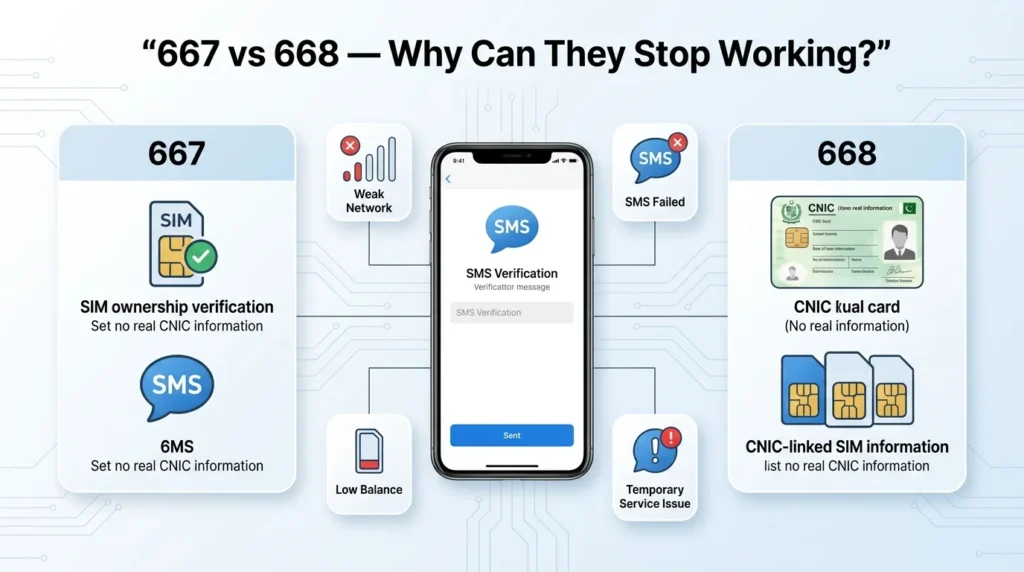
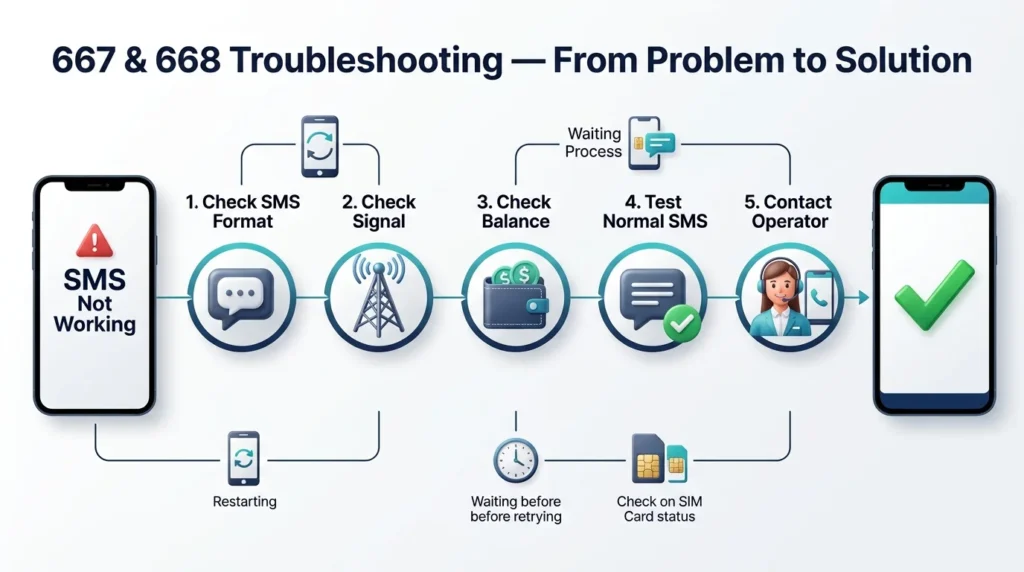
Quick Solution for 667 and 668 Not Working
Before contacting your mobile operator, try these steps:
- Check that you entered the required CNIC or SMS command correctly.
- Remove unnecessary spaces, dashes, and symbols.
- Make sure your SIM has sufficient main balance where a charge applies.
- Check your mobile signal strength and try the request from a different location
- Reboot your device or simply toggle off/on the Airplane Mode
- Do not send the same request multiple times
- If the issue persists, double-check the status of the service
- Otherwise, reach out to your network carrier for further assistance
Such measures allow you to distinguish between hardware/sim-related issues and the problems on the server side.
667 vs 668: What Is the Difference?
Although both numbers are associated with SIM-related verification in Pakistan, they are used for different purposes.
| Feature | 667 | 668 |
| Main purpose | SIM ownership-related verification | Checking SIMs associated with a CNIC |
| Method | SMS | SMS |
| Internet needed | No | No |
| Smartphone required | No | No |
| Key information | Information related to the current SIM | SIM registration information linked to the CNIC |
Always follow the current instructions provided by the relevant telecom operator or official authority before sending a verification request.
Why Is 667 Not Working?
If your SMS to 667 does not produce a response, check the following possibilities.
Incorrect SMS Command
The verification service expects a specific SMS format. If you enter the wrong command or add unnecessary characters, the request may not process correctly.
Try this:
- Check the required command before sending.
- Remove unnecessary spaces.
- Make sure your messaging app has not changed the text.
- Send one fresh request instead of repeatedly resending it.
Poor Network Coverage
Your SMS needs to leave your phone before the verification system can process it. Weak signal strength can stop the message from leaving your phone.
Try standing by a window or outside where there is often better reception. You can also try turning your phone off then on again and resending the request.
Temporary Service Problem
Sometimes the shortcode service or telecom systems may experience temporary delays. In this situation, your phone may send the SMS successfully but the response may arrive late or not arrive temporarily.
Best approach: Wait for a while and make another attempt later.
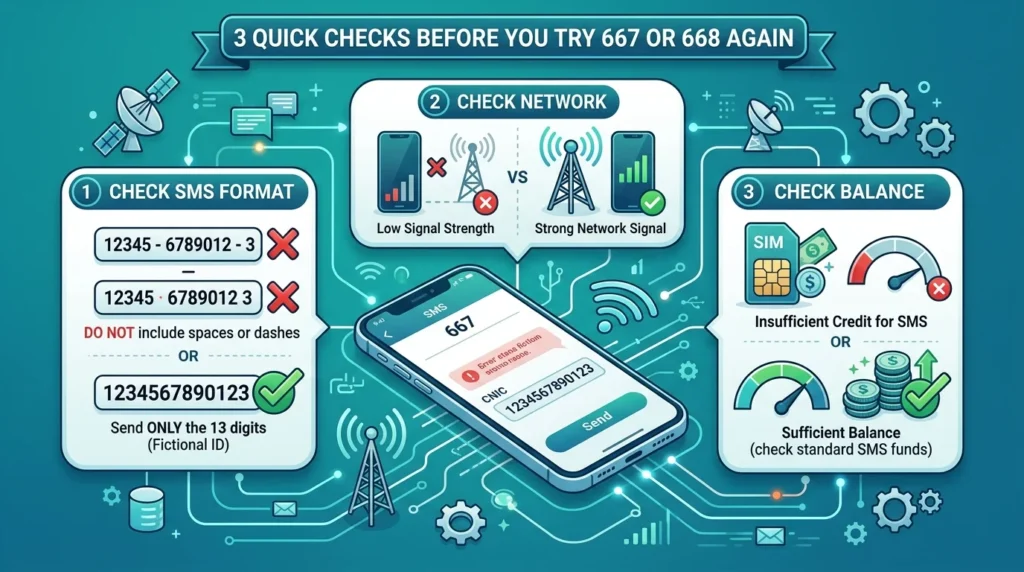
SIM or Account Issue
If your SIM cannot send ordinary SMS messages either, the problem may not be specific to 667.
Send a normal text message to a trusted number. If that also fails, check your SIM status or contact your mobile operator.
Why Is 668 Not Working?
The 668 service can also fail for several reasons.
Incorrect CNIC Format
One incorrect digit can cause a verification request to fail.
Enter your CNIC carefully and follow the required format. If the service asks for the 13-digit CNIC without dashes, do not enter spaces or hyphens.
For example:
3520112345671
Instead of:
35201-1234567-1
Insufficient Balance
If your prepaid account does not have enough main balance for an applicable SMS or service charge, your request may not be sent.
Check your balance and recharge if necessary before trying again.
Network or SMS Failure
If your phone shows Message Not Sent or SMS Failed, check whether ordinary SMS messages are working.
If normal messages also fail, troubleshoot the SIM or network first rather than repeatedly trying 668.
Temporary Database Delay
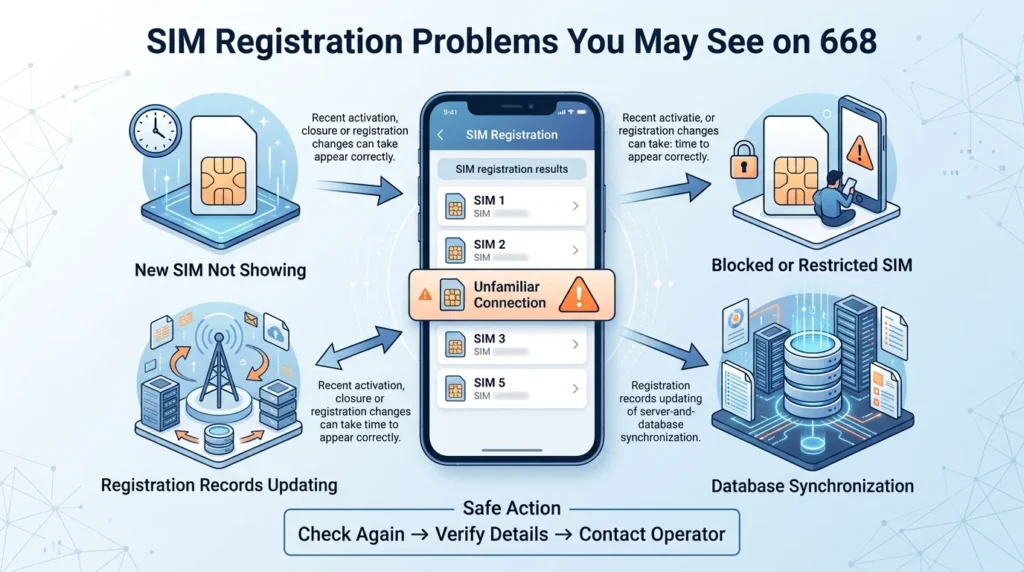
Recently activated, transferred, blocked, or updated SIM information may not appear immediately in every system.
If your SIM details have changed recently, allow time for the relevant records to update and check again later.
Common 667 and 668 Error Messages
Different errors can point to different problems. Here are some common examples.
“SMS Failed”
This normally means the message could not be sent successfully from your phone.
Check:
- Mobile signal
- Main balance
- SIM status
- SMS functionality
- Messaging settings
If ordinary SMS also fails, contact your mobile operator.
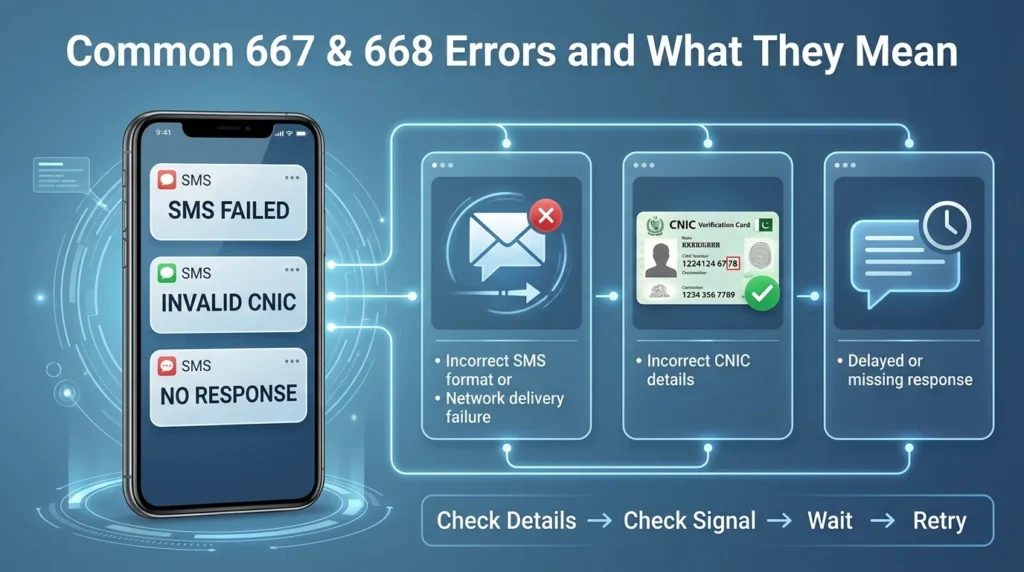
“Invalid CNIC”
This message usually appears when the CNIC information cannot be accepted or verified.
What to do:
- Check all 13 digits.
- Remove spaces and unnecessary symbols.
- Make sure you entered the correct CNIC.
- Send the request again only after correcting the information.
“Record Not Found”
A Record Not Found message does not necessarily prove that no record exists. Recent registration changes or temporary data synchronization problems can sometimes affect the result.
Check your information carefully and try again later. If the result remains unusual, contact your operator.
No Reply After Sending SMS
Sometimes the SMS appears to send successfully but no response arrives.
Possible reasons include:
- Temporary network congestion
- Delayed SMS delivery
- Shortcode service interruption
- Operator-side technical problems
- SIM-related restrictions
Wait before making another request and avoid sending many messages continuously.
Why Is My SIM Count Incorrect on 668?
If the result does not match the SIMs you currently use, do not immediately assume that the system is incorrect.
A difference may occur when:
- You recently activated a SIM.
- You recently closed or blocked a connection.
- Your registration information was recently changed.
- The relevant records have not synchronized yet.
Check the result again later. If an unfamiliar SIM continues to appear under your CNIC, contact the relevant mobile operator and request verification.
What If a New SIM Does Not Appear?
A newly purchased SIM may not appear in registration information immediately.
If you activated the SIM recently, give the relevant systems time to update. You can then check the information again.
If the SIM remains missing for an unusually long period, contact the operator from which you purchased the connection.
Can a Blocked SIM Use 667 or 668?
A blocked or restricted SIM may have limited access to SMS-based services. The exact behavior depends on the reason for the restriction and the operator’s current service rules.
First check whether the SIM can:
- Make a phone call
- Receive calls
- Send normal SMS
- Use mobile services where applicable
If these basic services are unavailable, resolve the SIM issue with your mobile operator first.
What About Recently Ported Numbers?
If you recently moved your mobile number from one network to another while keeping the same number, some account and routing information may take time to update.
If 667 or 668 stops working after an MNP change, wait until the porting process has fully completed. If the problem continues, contact your current operator.
Phone Settings That Can Affect SMS
Before assuming the shortcode itself is down, check your phone.
Make sure:
- Airplane Mode is turned off.
- The SIM is inserted correctly.
- Your phone shows a mobile network signal.
- SMS messaging is working normally.
- Your default messaging application is functioning correctly.
- Your phone has been restarted recently.
You can also temporarily turn Airplane Mode on and off to refresh the cellular connection.
What Should You Do If 667 or 668 Still Fails?
If the basic troubleshooting steps do not work, do not keep sending the same SMS repeatedly.
Instead:
Step 1: Test a Normal SMS
Send a regular SMS to another number.
If that message also fails, your problem is likely related to your SIM, account, network, or phone.
Step 2: Check Your SIM Status
Try making a normal call and receiving a call. If your SIM cannot perform basic services, contact your operator.
Step 3: Try Again Later.
If ordinary SMS works fine but 667 or 668 is not working, the service might be down for now.
Step 4: Contact the Operator.
Contact your operator directly or visit any of the official service centers of your mobile network operator.
Bring the original CNIC along so that they can update their records in the system.
Alternative Ways to Check SIM Information
You do not always have to depend on an SMS response.
Depending on the service currently available, you can also use:
- Official telecom or government online services
- Your mobile operator’s official self-care application
- An authorized customer service center
- Official operator support channels
Always use trusted official platforms when checking information connected to your CNIC.
More: Also check number of sim here
Protect Your CNIC and SIM Registration
Regularly checking your registered SIM information can help you identify connections that you no longer use or do not recognize.
Follow these precautions:
- Keep track of the SIMs you own.
- Report lost or stolen SIMs promptly.
- Close connections you no longer need through the official operator process.
- Never share CNIC information with unknown websites or individuals.
- Avoid entering personal information on suspicious SIM-checking websites.
- Use official channels whenever possible.
When Should You Contact Customer Support?
You should contact your mobile operator when:
- 667 or 668 continues to fail after repeated checks.
- Normal SMS messages are also not working.
- Your SIM appears blocked or restricted.
- Your registration information needs correction.
- Your SIM count remains incorrect.
- You see an unfamiliar connection associated with your CNIC.
- A recently activated or ported SIM does not appear correctly after sufficient time.
Customer support can check account and registration information that cannot always be diagnosed from the phone itself.
Final Words
When 667 or 668 is not working in Pakistan, the possible reasons may be associated with SMS format, mobile balance, network connections and statuses, or a short-term service disruption. Check the easiest and most apparent things first, such as the correctness of the provided information, overall SMS function, balance and signal quality, and a phone restarting. If none of the above listed instructions helps, it is better to avoid trying the same action multiple times and wait until the end of the problem. In case of persistent issues and an incorrect SIM card registration, contacting the official operator or visiting the customer service center directly should be the next step.
FAQs
Why 667 is Not Reply?
667 might be down for a temporary issue and cannot reply right now. Try checking your internet connection and resending the request.
Why is 668 not responding?
First, check the CNIC format, mobile signal strength, and balance. If everything is working fine, but still 668 is not responding then the service might be down for a moment.
Why does 668 say Invalid CNIC?
It means that you have entered an incorrect CNIC digit which is not supported by the system.
Why is my 668 SIM count not accurate?
There are many reasons for this issue, like recently opened/closed a SIM, changed any information on CNIC, or some database error. Please check it again after some time and contact the operator accordingly.
Can I use 667 and 668 without the internet?
Yes, you can use 667 or 668 services without internet access because they are short-form SMS services. But, the mobile internet is needed to send the request. So, it’s better to have a stable internet connection for sending an SMS request.
Can I use 667 and 668 on a keypad mobile?
Yes, you can use 667 and 668 services on a keypad phone, no smartphone is needed for this service because it’s an SMS-based service. As long as you have a mobile network and send an SMS request, all functions should be available.