
BVS Status Check Pakistan – Biometric SIM Verification 2026
Biometric verification is an essential component of SIM registration in Pakistan. It allows for the association of a cell phone number with the identity of the person registering it and is based on fingerprint verification. For those with old SIM cards, recently registered numbers, or simply curious about their status, knowing how to check biometric verification status may be of interest.
The BVS stands for Biometric Verification System, while the MBVS stands for Multi-Biometric Verification System. Both acronyms are related to biometric verification and SIM registration in Pakistan. This article aims to explain what BVS means, the differences between BVS and MBVS, how to check the status of one’s biometric verification, and possible actions in case of an incomplete or failed verification.
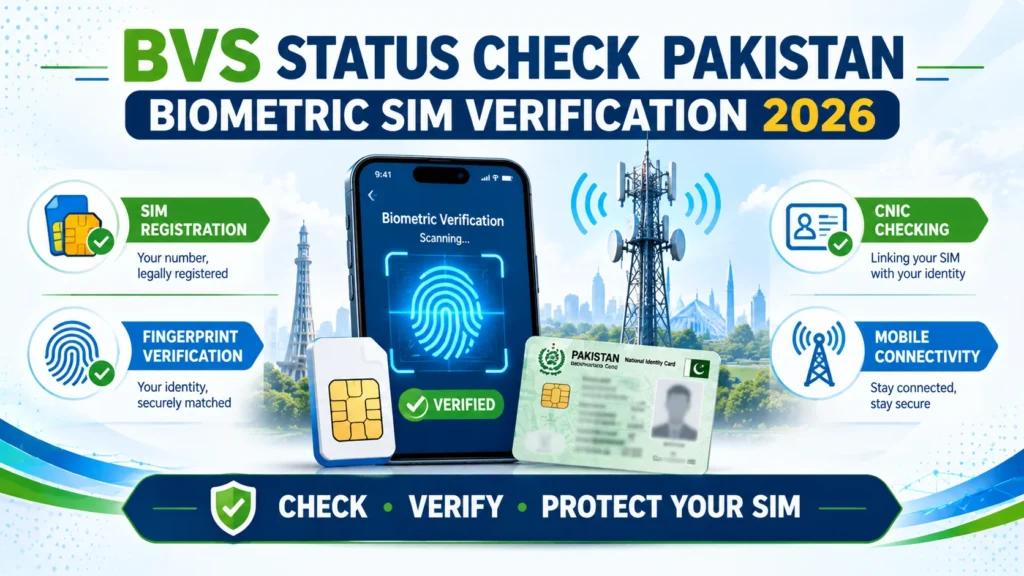
What Is BVS in Pakistan?
BVS stands for Biometric Verification System. It refers to the biometric process that identifies the person registering a SIM. The system uses biometric information such as fingerprints to help verify that the person registering the mobile connection is the legitimate CNIC holder. The BVS was significantly used during Pakistan’s nationwide SIM re-verification campaign in 2015. The campaign requested existing subscribers to verify their SIM connection through a biometric verification process.
People currently often use the term BVS for referring to the biometric SIM verification process. However, other systems and terms are also currently used for the same purpose.
What Is MBVS?
MBVS stands for Multi-Biometric Verification System. It refers to an upgraded biometric verification framework used for identity verification. The purpose of biometric verification remains the same: to help confirm the identity of the person associated with a SIM registration.
For ordinary users, the distinction between BVS and MBVS can sometimes be confusing. If someone asks about the BVS status of a SIM, they are generally referring to whether the SIM has completed the required biometric verification process.
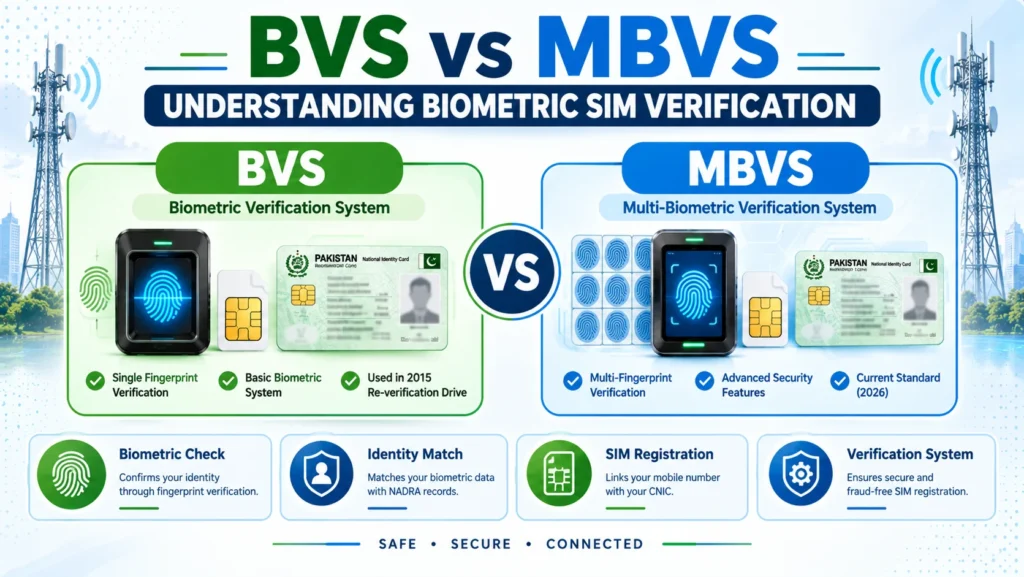
BVS vs MBVS: What Is the Difference?
Although both terms relate to biometric verification, they are not exactly the same.
BVS
BVS refers to the earlier biometric verification system used for SIM registration and the large-scale re-verification campaign.
MBVS
MBVS refers to a newer and more advanced biometric verification framework. In everyday SIM-related conversations, however, people may continue using BVS as a general term for biometric SIM verification. The exact verification record available for a particular number depends on the mobile operator and the registration history of that SIM.
Why Does BVS Verification Matter?
Biometric verification helps establish a connection between a SIM registration and the identity of the person who registered it.
Checking your own verification status can be useful because it may help you:
- Understand whether your SIM completed biometric verification
- Identify possible registration issues
- Resolve problems with an older SIM
- Deal with repeated biometric verification failures
- Provide useful information when discussing a registration dispute with your network
It is also essential to periodically check the SIMs associated with your CNIC. In case of finding a number that is not familiar to you, it is necessary to contact the corresponding network and follow the complaint procedure.
How to Check BVS Status of Your SIM
In case of a desire to find out whether your own SIM has a biometric recognition record, the best idea is to contact the mobile network provider who issued this SIM card.
You can generally use one of the following methods.
1. Contact Your Network’s Customer Support
Start by contacting your mobile operator’s customer support service.
Tell the representative that you want to confirm the biometric verification status of your own SIM.
The operator may ask you to verify your identity before providing account or registration information.
Depending on the available records, the representative may be able to tell you whether:
- Your SIM completed biometric verification
- A verification record exists
- Your registration requires further action
- You need to visit a service center
The exact information and verification procedure can vary between operators.
2. Visit an Official Service Center
If customer support fails to assist, you can always go to an official service center. Bring along your own CNIC and the SIM or number you wish to inquire about. Ask them to check it for you, they will be able to look into the relevant information and can inform you if any further action is needed to verify the biometric verification of your SIM. A service center can also be contacted if you are required to complete or re-attempt a biometric verification.
3. Contact NADRA for Biometric Problems
NADRA is handling identity and biometric information while the mobile operator is handling the SIM registration record. In case your fingerprint recognition process keeps on failing, inform the user about the possible reason being biometric information or a faulty fingerprint. In such a scenario the user is advised to visit any NADRA registration center to clear up his biometric status. The user might be required to go back to his mobile operator to revalidate the SIM card after biometric status has been cleared up.
What Information May Be Required?
When checking for the status of your own SIM’s biometric verification, the operator may need to verify your identity.
You should normally have:
- Your original CNIC
- The mobile number or SIM you wish to check
- Access to the SIM (if required by the operator)
Never give out CNIC details, OTPs, passwords or any other information to an unknown person who is supposedly providing a SIM verification service.
What If Your SIM Shows an Incomplete Verification Status?
If your legitimate SIM appears to have an incomplete biometric verification record, take the issue seriously and contact the network that issued the SIM.
Follow these steps.
Step 1: Confirm the SIM Registration
First verify that the SIM is actually associated with your CNIC. If you recognize the number and are using it yourself, please proceed to verifying your identity. If not, then you should treat the situation as potentially unauthorized SIM registration and contact the relevant operator.
Step 2: Contact Your Mobile Operator
Ask the network whether your SIM has completed biometric verification. The operator can check its available registration information and explain whether you need to take further action.
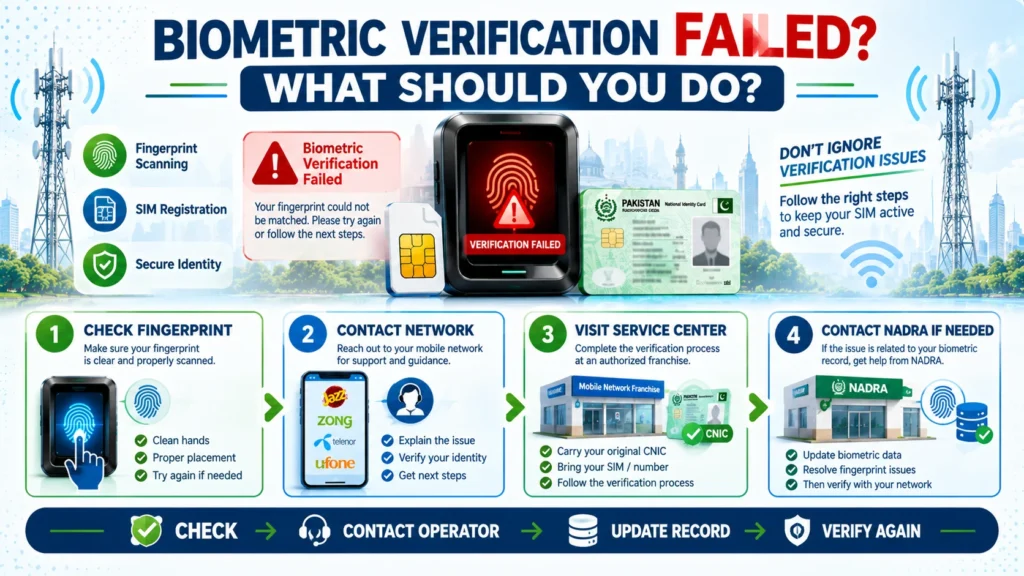
Step 3: Visit the Service Center if Required
In case of a network asking you to complete biometric verification, visit an authorized service center with your original CNIC. The representatives will be able to assist you through the process, telling you what to do at every step.
What If Fingerprint Verification Fails?
Sometimes a biometric verification attempt may not succeed. Fingerprint quality can change or become difficult to capture due to different circumstances. If you experience repeated failures, ask the mobile operator what the next step should be. If the issue appears to involve your NADRA biometric record, visit a NADRA facility for further assistance. Once the biometric record issue has been addressed, you may need to return to the network’s service center and attempt the SIM verification process again.
BVS Status and Unauthorized SIMs
Biometric verification can become important when you discover a SIM registered against your CNIC that you do not recognize. For example, you may find an unfamiliar mobile connection while checking the SIMs associated with your identity. In that situation, do not assume that the issue is simply a technical error. Contact the relevant mobile operator and report the unfamiliar registration. The operator can review the available registration information and guide you through the appropriate complaint or blocking process.
To check any unauthorized sim please visit: siminformation
Can BVS Information Help With a SIM Fraud Complaint?
Yes, biometric verification information can be relevant when investigating a disputed SIM registration. If you claim that you never registered a particular SIM, the relevant operator or authorities may need to examine the registration records associated with that connection. However, ordinary users should not assume that they can directly access detailed biometric logs or another person’s biometric information. Biometric data is sensitive personal information. Any investigation involving detailed biometric records should be handled through the appropriate official process.
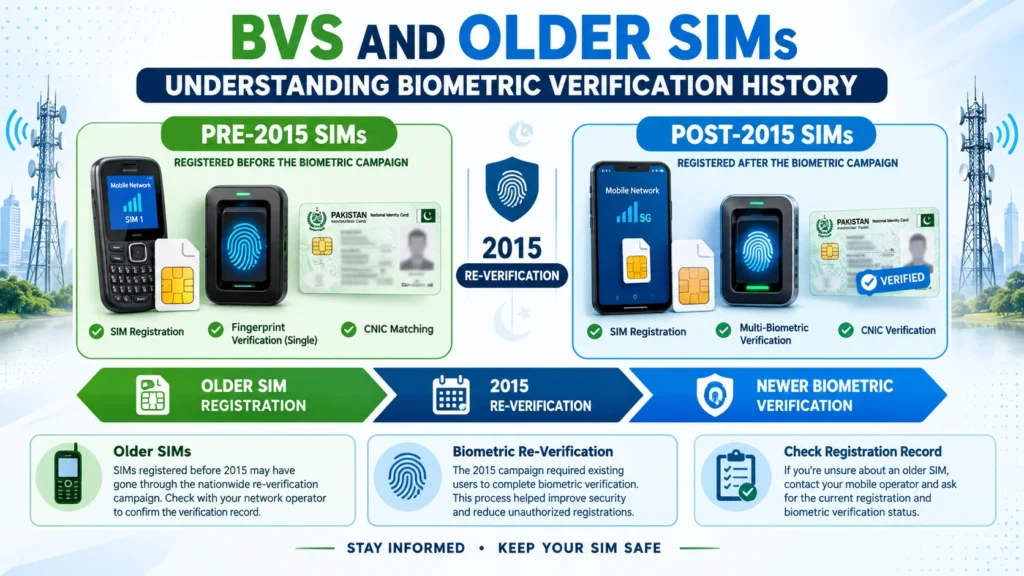
BVS and Older SIMs
The history of biometric verification is particularly relevant to older mobile connections.
SIMs Registered Before 2015
Some older SIMs were subject to the nationwide biometric re-verification campaign around 2015.
If you still use an older connection and are unsure about its verification history, contact the relevant mobile operator and ask about the registration record.
SIMs Registered After 2015
Newer SIM registrations have been subject to the biometric verification procedures applicable at the time of registration.
If you need confirmation about a particular number, the issuing network is the most relevant source for checking its registration information.
Is BVS the Same as SIM Ownership?
No. SIM registration and biometric verification are related but different concepts. SIM registration identifies the person associated with a mobile connection. Biometric verification is the process used to verify the person’s identity during registration.
Therefore, knowing that a biometric verification process was completed does not mean that every possible SIM-related security problem is automatically prevented.
Does BVS Protect You From All SIM Fraud?
No. Biometric verification, while constituting an important layer of protection in determining the authenticity of SIM card owners, is not foolproof against all mobile phone frauds,like unauthorized replacement attempts, social engineering, account fraud, or other issues. Therefore, it is recommended to stay on top of any SIM connections attributed to your CNIC and report any suspicious number as soon as possible.
Final Thoughts
BVS status plays a vital role in biometric SIM verification procedures in Pakistan. It becomes handy for a user to get an idea of mobile verification procedure and possible further actions in case of any registration issues. To obtain the exact status of your biometric SIM, contact your network operator through their customer care line or reach out to an official service center. In case of any issues, keep the original of your CNIC on hand, as some operators may ask for it during personal verification.
In case of discovering an unauthorized/simultaneous SIM, do not hesitate to bring it to your operator’s or concerned local authority’s attention. Moreover, recurring issues with biometric verification should not be left on their own – contact the operator and request resolution. Therefore, it is of paramount importance to periodically check the status of your SIM registration.
FAQs
What does BVS mean in Pakistan?
BVS stands for Biometric Verification System. It refers to the biometric process used to verify a person’s identity during SIM registration.
What does MBVS mean?
MBVS stands for Multi-Biometric Verification System. It refers to a newer biometric verification framework used for identity verification.
How can I check my BVS status?
Contact the mobile operator that issued your SIM or visit its official service center. Ask them to confirm the biometric verification status of your own SIM.
What should I do if my biometric verification fails?
Contact your mobile operator first. If repeated fingerprint verification attempts fail, you may also need to contact NADRA for assistance with your biometric record.
Can I check someone else’s BVS status?
Biometric and SIM registration information is personal. You should only request information about your own SIM unless you have proper legal authorization.
Does verified BVS mean my SIM is completely secure?
No. Biometric verification is an important part of SIM registration, but it does not prevent every possible type of SIM fraud or account-related attack.